The USB-C accessory market has matured considerably. A few years ago, buying a hub or cable felt like a gamble. Today, the specs are more standardized, the price points are more competitive, and the performance gap between budget and premium options has narrowed in some categories while widening in others. If you are building out a laptop setup, upgrading your desk for remote work, or just tired of dongles that underdeliver, this breakdown of the most useful USB-C accessories in 2026 covers what actually holds up across real-world use.
This guide is built around a practical evaluation framework, a comparison table worth bookmarking, and honest notes on where people commonly go wrong when shopping this category.
How These Picks Were Evaluated
Before getting into specific products and categories, it helps to understand the criteria used to assess USB-C accessories. A scoring framework across five dimensions keeps the analysis grounded:
The USB-C Accessory Evaluation Framework (5 factors, 1-10 scale each):
- Spec accuracy — Does the product deliver what the label promises? Many cables and hubs advertise speeds or wattages they rarely achieve consistently.
- Build durability — Connector reinforcement, cable flexibility, housing materials. Braided cables and aluminum housings generally outlast plastic alternatives.
- Thermal performance — Hubs and docks that run hot throttle performance and shorten lifespan. This matters more than most buyers realize.
- Compatibility breadth — Works across MacBook, Windows laptops, iPad Pro, Android devices, and gaming setups without fiddling.
- Value ratio — Price relative to what it actually delivers, not just what it advertises.
Products scoring 40 or above out of 50 on this framework are worth recommending. The ones that fall short usually do so on spec accuracy or thermal performance.
The 2026 USB-C Landscape: What Has Changed
USB-C is now genuinely universal in a way it was not even two years ago. The EU’s mandate for USB-C on consumer electronics accelerated adoption across Android phones, tablets, and even some audio devices. According to the USB Implementers Forum, USB4 Gen 2×2 (delivering up to 20 Gbps) is now widely available in mid-range docking stations, not just premium Thunderbolt 4 products.
One forward-looking observation worth considering: the real differentiation in 2026 is shifting away from port count and toward power delivery intelligence. Smart chargers that negotiate wattage dynamically across multiple devices are becoming the standard, and hubs that cannot manage PD passthrough cleanly are already showing their age. Buyers who focus only on port variety and miss power delivery specs tend to regret it within six months.
Most Useful USB-C Accessories in 2026: Category by Category
USB-C Hubs
For most users, a compact USB-C hub is the first and most important purchase. The best USB-C hubs for MacBook Pro and MacBook Air M-series in 2026 tend to cluster around a few reliable form factors: the slim bus-powered hub that sits flush against the laptop, and the slightly larger multiport adapter with dedicated power passthrough.
For home office setups, a hub with at least one HDMI 2.1 port, two USB-A ports, an SD card slot, and 100W PD passthrough covers most needs. The compact USB-C hub with Ethernet and HDMI combination has become especially popular among remote workers who need reliable wired internet alongside video output.
Typical pricing ranges from $35 to $65 for a solid 7-in-1 or 9-in-1 hub. Going below $25 usually means compromised HDMI bandwidth or inconsistent PD charging. For those asking about the best USB-C hub under 50 dollars in 2026, the sweet spot is a well-reviewed 7-in-1 from brands like Anker, Ugreen, or Baseus, all of which have expanded their product lines with improved thermal designs this year.
A slim USB-C hub for MacBook Air M-series is worth prioritizing if portability matters. These hubs stay cool, draw power from the host, and add back the ports Apple removed without adding bulk. Most users find them sufficient for everyday tasks like document work, video calls, and light photo editing.
USB-C Docking Stations
For a permanent home office or desk setup, a full docking station outperforms a hub on almost every front. The best USB-C docking station for home office use in 2026 typically includes dual monitor support, multiple USB-A and USB-C ports, Ethernet, audio in/out, and 90W or higher PD charging.
The best USB-C docking station for Windows laptops differs slightly from Mac-optimized options. Windows machines often support DisplayLink docking, which allows multiple monitors even on non-Thunderbolt USB-C ports. Mac users need to verify whether a dock uses DisplayLink or native Alt Mode, since compatibility and performance vary.
USB-C Thunderbolt 4 docking stations remain the premium option. They deliver up to 40 Gbps bandwidth, support daisy-chaining monitors, and handle 96W charging. Pricing typically lands between $150 and $300. For users who do not need Thunderbolt 4 speeds, a budget USB-C docking station for Windows laptop use can be found for $60 to $100 and handles dual 1080p or single 4K output adequately.
USB-C Accessory Comparison Table: Key Specs at a Glance
| Accessory Type | Best For | Typical Price | Key Spec to Check | Common Weakness |
| 7-in-1 USB-C Hub | Travel, MacBook, iPad Pro | $35 – $60 | HDMI version, PD wattage | Runs warm under load |
| USB-C Docking Station (USB4) | Home office, dual monitors | $80 – $150 | DisplayLink vs Alt Mode | Windows/Mac compatibility |
| Thunderbolt 4 Dock | Power users, creators | $150 – $300 | 40 Gbps, 96W PD | High cost |
| 100W GaN Charger (multi-port) | Multiple devices, travel | $45 – $80 | GaN III chip, port count | Port labeling can mislead |
| Braided USB-C Cable (240W) | Fast charging, durability | $12 – $25 | E-Marker chip, USB spec | Unlabeled cables skip E-Marker |
| USB-C to HDMI Adapter (4K/60Hz) | Single monitor output | $20 – $40 | 4K@60Hz confirmed | 4K@30Hz sold as 4K |
| USB-C External SSD | Content creation, backup | $70 – $150 | Read/write MB/s, USB gen | Advertised vs actual speeds |
| USB-C Power Bank (20,000mAh+) | Travel, remote work | $50 – $90 | PD output, airline compliance | Heavy, TSA limits |
| USB-C Card Reader | Photographers, creators | $18 – $40 | UHS-II support, USB 3.2 | UHS-I speed bottleneck |
| USB-C Audio Adapter | Wired headphones | $15 – $35 | DAC chip quality, mic support | Cheap DACs distort audio |
This table covers the essential USB-C accessories for travel setup, desk use, creative work, and remote setups. It is designed to help buyers make a fast, informed comparison without needing to cross-reference multiple spec sheets.
High-Speed USB-C Cables
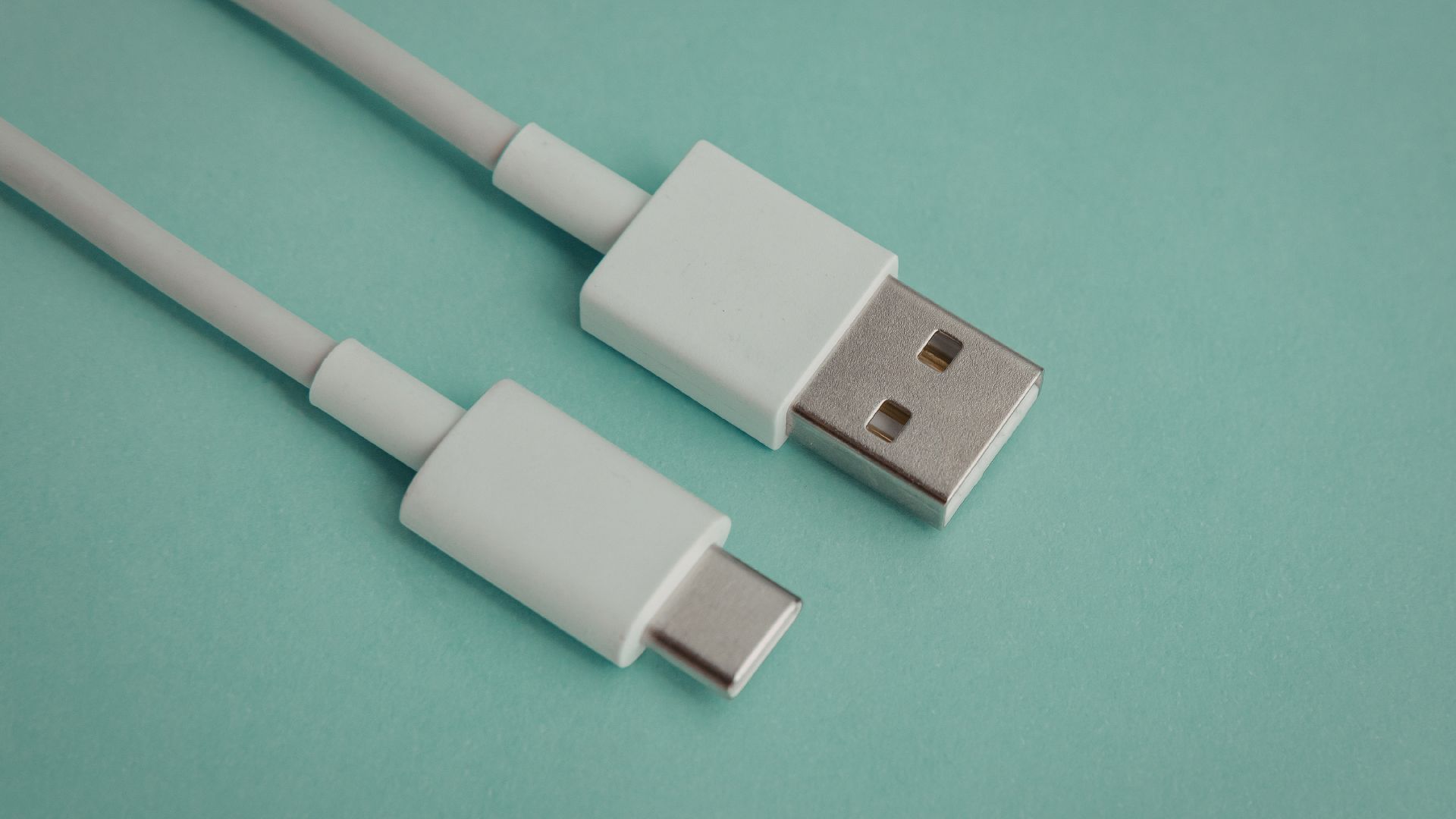
Cables are where a surprising amount of money gets wasted on products that underperform. High-speed USB-C cables for fast charging in 2026 must include an E-Marker chip to safely handle 100W or higher power delivery. Without it, a cable physically limits power transfer regardless of what the packaging claims.
For durable braided USB-C cables built for long-term use, the key markers are 90-degree strain relief, nylon or Kevlar braid, and a chip that supports the correct USB spec. A cable rated for USB 3.2 Gen 2 (10 Gbps) is fine for data and charging most devices. Cables rated for USB4 40 Gbps matter when connecting to Thunderbolt 4 docks or high-speed SSDs.
According to Wirecutter’s long-term cable testing methodology, braided cables with reinforced connectors last significantly longer than standard PVC-jacketed alternatives under repeated bending stress. Pricing for a quality 6-foot braided cable ranges from $12 to $25. Spending more rarely improves performance, but spending less often means skipping the E-Marker.
Magnetic USB-C charging cables got attention in 2025 and are worth noting in 2026. They work well for charging but do not support data transfer at high speeds through the magnetic connector. They are convenient for overnight charging and for protecting ports from repeated plug-in stress, but they are not a replacement for a standard cable in a data-heavy workflow.
USB-C GaN Chargers
The fast charging USB-C power adapter 100W space has been transformed by GaN (Gallium Nitride) technology. GaN III chargers are now the standard for compact multi-port chargers. A quality 100W or 140W GaN charger that supports a laptop, tablet, and phone simultaneously typically costs $45 to $75.
The best USB-C charger for multiple devices in 2026 negotiates power delivery dynamically. When one port is in use, it delivers full power. When multiple devices are connected, it distributes intelligently based on device demand. Look for chargers that clearly label per-port wattage when all ports are active, not just the single-port maximum — the same transparency you should expect when choosing the best power bank for travel to avoid underpowered charging on the go.
For a universal USB-C charger for laptop and phone, 65W or 100W GaN options from Anker (Nano series), Ugreen, and Belkin consistently receive high marks from reviewers at The Verge and RTINGS for thermal efficiency and build quality.
USB-C Monitors and Display Adapters
The best USB-C monitor adapter 4K 60Hz options in 2026 are more reliable than they were two years ago. Most quality adapters now correctly handle 4K at 60Hz over a single USB-C cable, whereas lower-end adapters often cap at 4K at 30Hz and advertise it deceptively.
For the best USB-C to HDMI adapter for dual monitor setups, the choice depends on the host device. MacBooks with M2 or M3 chips support a second external display through the HDMI port natively, but adding a third via USB-C requires DisplayLink software. Windows laptops are generally more flexible.
The best USB-C accessories for iPad Pro in 2026 include a quality HDMI adapter that supports Stage Manager properly. The iPadOS Stage Manager feature benefits from 4K output at 60Hz, so adapter quality matters more on iPad Pro than people typically expect.
USB-C Accessories for Specific Use Cases
For content creators: A USB-C external SSD is one of the most impactful purchases. Drives based on NVMe internals with USB4 or USB 3.2 Gen 2×2 enclosures deliver read/write speeds of 1,000 to 2,000 MB/s in many real-world cases. Combined with a USB-C card reader that supports UHS-II for photographers, the workflow difference is noticeable.
For gaming laptops: USB-C accessories for gaming laptop setups often center on a high-wattage dock or charger and a low-latency HDMI adapter. Gaming laptops typically draw 100W to 200W under load, so checking a dock’s power delivery ceiling before buying matters more than port count.
For students, Affordable USB-C accessories for students do not require a large budget. A reliable 7-in-1 hub under $50, a 65W GaN charger, and a quality braided cable cover most classroom and dorm-room needs. Overbuying here is common and unnecessary.
For remote work: The best USB-C accessories for remote work setup in 2026 tend to include a reliable wired Ethernet adapter or hub with built-in Ethernet, a 4K webcam or capture device via USB-C, and a dock with enough ports to support dual monitors cleanly.
Common Mistakes and Hidden Pitfalls
Assuming all USB-C is equal. The connector looks the same whether the cable supports 5W charging and USB 2.0 speeds or 240W charging and 40 Gbps. Without checking the spec label or looking for E-Marker confirmation, buyers routinely purchase cables that bottleneck their gear.
Buying a hub for a use case that requires a dock. Hubs are bus-powered and share bandwidth with the host port. Under heavy load with multiple devices connected, they throttle. For a dual-monitor desk setup with external storage and wired Ethernet, a powered docking station is the right tool. Hubs are for portability, not performance.
Ignoring thermal behavior. Budget hubs that lack proper heat dissipation throttle their HDMI or charging output under sustained use. This is especially common in hubs placed flat on a desk with restricted airflow. Aluminum housings and proper vent spacing matter.
Trusting port count over port quality. A hub advertising 11 ports sounds appealing, but if those ports share internal bandwidth on a USB 3.0 controller, plugging in multiple high-speed devices simultaneously means all of them run slower. Look for hubs that explicitly separate their USB-C video output, charging passthrough, and data paths.
Overlooking airline restrictions on power banks. Portable USB-C power banks above 100Wh require airline approval, and those above 160Wh are generally prohibited in carry-on luggage. A 20,000mAh bank at 3.7V nominal is typically around 74Wh and clears most restrictions, but always verify the Wh rating on the spec sheet, not just the mAh figure.
Confusing DisplayLink with native Alt Mode on Mac. DisplayLink requires a driver install on macOS and uses CPU/GPU resources for display output. Native Alt Mode does not. Some buyers discover the driver requirement only after purchasing a dock that looked compatible on paper.
A Note on the 2026 Market Outlook
One pattern worth watching: USB-C is becoming a power grid for the desk, not just a data connector. The rise of USB-C-powered monitors, USB-C desk lamps, and even USB-C charging pads is shifting how buyers should think about their hub or dock’s power budget. A dock rated at 100W total output that is powering a laptop, a monitor, and a phone simultaneously may be doing more than its design intended.
As the USB Implementers Forum continues pushing USB4 Version 2.0 (80 Gbps theoretical), the next wave of high-end accessories will center on bandwidth-intensive creative workflows. For most users, current USB 3.2 Gen 2 speeds remain more than sufficient, making many of today’s USB-C hubs and docks some of the best budget tech gadgets worth buying. However, creators working with 8K RAW footage or multi-stream capture setups should watch Thunderbolt 5 accessory availability through 2026.
Key Takeaways
- The most useful USB-C accessories in 2026 are evaluated on spec accuracy, build quality, thermal performance, compatibility, and value, not just price or port count.
- E-Marker chips are non-negotiable for high-speed USB-C cables handling 100W or more; missing this spec is the most common cable mistake buyers make.
- GaN III chargers delivering 100W or more across multiple ports now represent the standard for anyone charging a laptop alongside other devices.
- For a permanent home office setup, a powered USB-C docking station consistently outperforms a bus-powered hub on thermal stability, bandwidth, and display reliability.
- The best USB-C hub under $50 covers most everyday needs for students and light users; spending more is only justified when dual-monitor or high-speed data workflows are involved.
- Magnetic USB-C charging cables are useful for overnight charging and port protection, but are not suitable replacements for standard cables in high-speed data transfer scenarios.
- DisplayLink docks require driver installation on macOS and consume system resources; buyers should verify dock compatibility type before purchasing for Mac setups.
- The 2026 USB-C market is shifting toward power delivery intelligence, meaning buyers should prioritize dynamic PD negotiation and thermal management over raw port counts.
What is the most useful USB-C accessory for a MacBook Pro in 2026?
For most MacBook Pro users, a quality 7-in-1 or 9-in-1 USB-C hub with HDMI 2.1, 100W PD passthrough, and an SD card slot covers daily workflow needs. Those with dual-monitor setups or heavy external storage use will benefit more from a Thunderbolt 4 dock, which supports full bandwidth and up to 96W laptop charging.
Do I need a Thunderbolt 4 dock, or is a regular USB-C dock enough?
Most home office and remote work users do not need Thunderbolt 4. A USB4 or USB 3.2 Gen 2 dock handles 4K monitors, wired Ethernet, and multi-device charging without issue. Thunderbolt 4 matters when connecting high-speed external SSDs, daisy-chaining monitors, or using Thunderbolt-specific peripherals. It is worth the premium for video editors and developers; for general productivity use, a budget USB-C docking station for Windows or Mac performs well.
How do I know if a USB-C cable supports fast charging?
Look for cables explicitly labeled with their USB specification (such as USB 3.2 Gen 2 or USB4) and E-Marker confirmation. The E-Marker chip allows a cable to safely carry 100W or higher power. Cables without it cap at 60W regardless of packaging claims. The USB-IF (USB Implementers Forum) maintains a certified cable database at usb.org that buyers can cross-reference.
Are affordable USB-C hubs safe for charging laptops?
Generally, yes, as long as the hub includes a dedicated PD passthrough port rated for your laptop’s required wattage. The hub itself draws power from the host port, so a passthrough port bypasses the hub’s internal circuitry for laptop charging. Without passthrough, a hub may only provide 5W to 15W of charging to the connected laptop, which is insufficient for most modern laptops under load.
Is a USB-C audio adapter worth buying for wired headphones?
Yes, with a caveat: DAC chip quality varies significantly across price points. Budget adapters under $10 commonly introduce audio distortion, poor microphone performance, or ground loop hum. Spending $20 to $35 on an adapter from a brand that discloses its DAC chip, such as those using Realtek or Cirrus Logic chips, delivers noticeably cleaner audio. For casual listenin,g the difference is modest, but for recording or monitoring audio professionally, a quality adapter matters.