Building a desk setup that genuinely supports focused, sustained work is harder than most buying guides make it look. The market is full of products competing for attention, and a lot of advice either pushes flagship gear without context or lists gadgets that look good in photos but don’t solve real workflow problems. This guide approaches smart desk setup gadgets for productivity differently: through a practical evaluation framework, honest cost ranges, and category-level analysis that helps you decide what’s worth buying based on how you actually work.
Whether you’re a remote employee setting up a permanent home office, a student building a focused study environment, or a startup founder optimizing every hour of output, the principles here are the same. Buy for friction reduction, not novelty.
Why the Right Desk Setup Matters More Than Most People Realize
Most workers underestimate how much their physical environment shapes their output. Research from the American Society of Interior Designers has consistently documented that workspace design affects cognitive performance, mood, and sustained attention. For remote and hybrid workers, this matters even more because the desk environment often substitutes for a curated professional space.
The most common pattern seen across productivity communities is this: workers spend significant money on software tools to optimize their workflow while their physical setup actively works against them. A cluttered cable situation creates visual noise. Poor lighting causes eye strain before noon. An uncomfortable chair or monitor at the wrong height adds up to genuine physical fatigue by mid-afternoon.
Smart desk accessories for small workspace setups and large home offices alike share the same underlying goal: reduce the small daily interruptions that compound into real productivity losses over weeks and months.
The Desk Gadget Utility Score (DGUS): A Framework for Smarter Buying
Before looking at specific products, it helps to have a consistent way to evaluate any desk gadget you’re considering. The Desk Gadget Utility Score (DGUS) is a simple 100-point framework built around four weighted factors:
Impact on Focus (30 points): Does this gadget reduce distractions, support flow state, or keep attention on the task at hand?
Ergonomic Benefit (25 points): Does it improve posture, reduce physical strain, or make sustained desk work more comfortable over hours?
Setup Simplicity (25 points): Is it easy to install, configure, and maintain without ongoing technical overhead?
Value Efficiency (20 points): Does it deliver meaningful results relative to its cost?
Products scoring above 70 are generally worth prioritizing. Those below 50 should only be purchased if they solve a very specific, high-priority problem in your particular setup. Use this framework against any product recommendation you encounter, including the ones in this guide.
Category-by-Category Breakdown of Smart Desk Setup Gadgets for Productivity
Smart Lighting: The Most Underrated Upgrade
Lighting consistently sits at the bottom of most people’s upgrade lists and near the top of what makes the biggest immediate difference. Research published by the Lighting Research Center at Rensselaer Polytechnic Institute documents that appropriate task lighting improves alertness and reduces eye strain during screen-heavy work sessions.
The key variable isn’t just brightness — it’s color temperature control. Warmer tones around 2700K to 3000K work well for early morning or evening sessions, while cooler daylight tones between 5000K and 6500K help maintain alertness during peak working hours. Products like the BenQ ScreenBar Plus and Elgato Key Light are widely referenced in professional setup communities for exactly this reason. Both allow independent color temperature and brightness adjustment without creating screen glare, which is the main failure mode of cheap desk lamps placed at the wrong angle.
For budget desk setup gadgets, a USB-powered LED lamp with color temperature adjustment typically costs $20 to $45 and achieves the core benefit. Spending more gets you wireless control, ambient sensing, and better build quality — but the fundamental impact on eye comfort and alertness is similar. DGUS Score: 82/100.
Cable Management: High ROI, Low Cost
Desk cable management gadgets for clean setups consistently deliver one of the highest returns on investment per dollar spent. A tangled cable situation isn’t just aesthetically unpleasant — it introduces visual noise that many people find subtly distracting, and it makes desk cleaning or peripheral swapping unnecessarily complicated.
Effective cable management rarely requires expensive tools. A combination of cable raceways, under-desk cable trays, and adhesive cable clips solves most situations for under $30. For those prioritizing wireless desk gadgets for a cleaner workspace, switching to wireless peripherals removes cables at the source. A wireless keyboard, mouse, and headphones can eliminate the majority of desk clutter outright.
For setups with multiple monitors or powered peripherals, a flat-plug power strip with individual outlet switches mounts cleanly under the desk and keeps all cable routing hidden. Based on current platform pricing, quality under-desk cable trays run $15 to $35. Premium options with metal construction and integrated clips run up to $60.
Ergonomic Accessories: Where Long-Term Comfort Begins
The best ergonomic desk gadgets for long work hours address posture at the source rather than trying to compensate for it after the fact. Monitor arms are consistently cited by professional reviewers at Wirecutter and RTINGS.com as among the highest-impact single purchases for desk workers. A quality monitor arm from brands like Ergotron or Amazon Basics allows precise positioning of screen height and viewing distance, which directly reduces neck and shoulder strain over long sessions.
For those working from laptops, a laptop stand combined with an external keyboard and mouse achieves similar results at a lower cost. This combination brings the screen to eye level without requiring a full external monitor investment — making it one of the most practical compact desk gadgets for small apartments or travel-oriented setups.
Wrist rests are commonly overlooked but genuinely useful for keyboard-intensive work. Programmers and writers spending six or more hours daily at the keyboard commonly report that gel or memory foam wrist rests reduce wrist fatigue noticeably within the first week of use. Whether you’re working on a MacBook vs Windows laptop, the ergonomic benefit remains consistent, especially during long coding sessions or extended writing blocks. Prices range from $10 to $40, making this one of the strongest desk setup gadgets under 100 dollars by impact-per-dollar ratio.
Adjustable desk accessories for better posture also include footrests, monitor risers, and laptop stands with ventilation. Each solves a specific ergonomic problem. The key is identifying which posture failure mode you personally experience most — neck strain, wrist pain, lower back fatigue — and targeting that first. DGUS Score: 88/100.
Smart Desk Setup Gadgets Comparison Table
This table covers the most commonly purchased desk gadget categories with honest cost ranges, typical use cases, DGUS scores, and best-fit profiles. It’s designed to serve as a quick decision reference.
| Gadget Category | Typical Cost Range | DGUS Score | Best For | Key Consideration |
| Smart Desk Lamp (color temp control) | $25 – $120 | 82/100 | All desk workers | Avoid placing directly behind the monitor |
| Monitor Arm (single) | $30 – $130 | 87/100 | Screen-heavy users | Check desk thickness compatibility |
| ANC Headphones | $60 – $380 | 85/100 | Open offices, home distractions | Mid-range ($80-$130) offers strong value |
| Cable Management Kit | $15 – $60 | 78/100 | Multi-peripheral setups | Start with the under-desk tray first |
| Laptop Stand + Ext. Keyboard | $25 – $80 combo | 80/100 | Laptop-primary users | Adds eye-level viewing immediately |
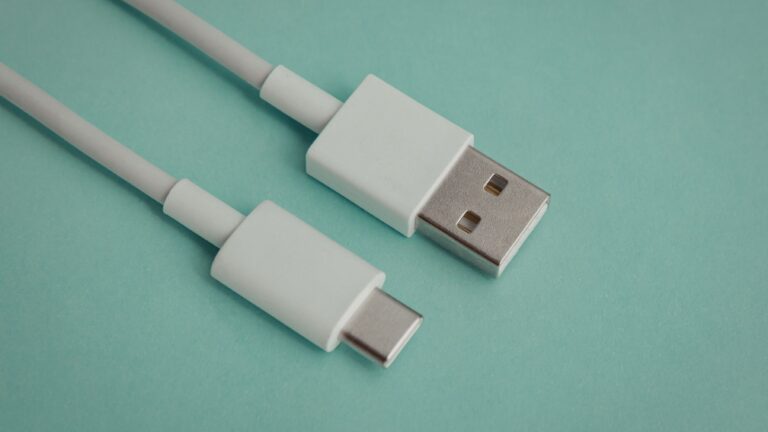
| USB-C Desk Hub / Charging Station | $35 – $120 | 76/100 | Multi-device households | Verify wattage for fast charging |
| Productivity Timer / Cube Timer | $15 – $55 | 68/100 | Focus-method practitioners | Lower priority vs. ergonomics |
| Smart Speaker (compact) | $30 – $100 | 72/100 | Voice-command and ambient audio | Privacy settings worth reviewing |
| Acoustic Panels (basic set) | $25 – $60 | 74/100 | Echo-heavy rooms, creators | Placement matters more than quantity |
| Desk Fan with USB Charging | $20 – $55 | 65/100 | Warm climates, non-AC environments | Look for brushless motors (quieter) |
Noise Reduction: Undervalued by Beginners, Essential for Deep Work
Noise reduction desk gadgets for focus fall into two distinct categories, and most people benefit from both eventually.
Active noise-canceling headphones are among the most-recommended must-have desk tech for home office setups across remote work communities. The Sony WH-1000XM series and Bose QuietComfort line are the flagship options, typically running $280 to $380. Capable mid-range alternatives from Anker (Soundcore Q45), Jabra, and EarFun commonly fall between $60 and $130 and perform well for general office noise. The performance gap between premium and mid-range has narrowed considerably over the past two years.
Acoustic panels address a different problem: room reverb and echo. This matters most for content creators recording audio or video, and for workers on frequent video calls in echo-heavy rooms. Basic acoustic foam panel sets (12-pack) typically run $25 to $50. Placement near first reflection points — the wall areas that parallel your speaking direction — produces more improvement than simply stacking panels on one wall.
For programmers, writers, and anyone doing cognitively intensive work, research summarized in the British Journal of Psychology suggests that moderate ambient sound levels can improve performance on creative tasks compared to both silence and high noise environments. This is the evidence base behind tools like brown noise generators and lo-fi playlists used as background audio. A compact smart speaker serves this function while also handling voice-commanded timers and reminders without requiring you to touch your phone during work sessions.
Desk Organizers with Charging: Function Over Form
Desk organizers with charging stations have become a practical category for small workspace setups where surface area is limited. The better products combine a USB-C hub, wireless charging pad, and physical storage for phones, earbuds, and tablets in a compact footprint. As the future of coworking flexible workspaces continues to prioritize modular, tech-integrated environments, these multifunctional desk systems are becoming essential for professionals who frequently shift between home offices, shared desks, and hybrid setups.
Most users find the $45 to $80 range covers well-reviewed options with solid build quality and adequate charging wattage. Products above $100 typically add premium materials or multi-device wireless charging. Below $35, build quality and wattage become inconsistent enough to warrant caution — particularly if you’re charging laptops through a hub.
For a dual monitor desk setup, accessories for productivity, such as a hub that also serves as a USB peripheral hub, reduce the dongle situation that plagues many multi-monitor setups, particularly for MacBook users.
AI-Powered Desk Gadgets: 2026 Outlook
One forward-looking trend worth tracking: AI-powered desk gadgets for productivity 2026 are beginning to move beyond novelty into genuine utility. Smart webcams with automatic framing and lighting adjustment, noise-canceling microphone systems that adapt to room acoustics in real time, and desk controllers with workflow-aware shortcuts are all becoming more accessible. When combined with the best ways to speed up your Windows laptop, these tools help eliminate lag, reduce friction during video calls, and keep AI-driven workflows running without performance bottlenecks.
The contrarian read on this category: most workers don’t need AI-powered desk hardware yet. The fundamentals — good lighting, ergonomic positioning, noise management, clean cable routing — still deliver more measurable productivity improvement than any smart hardware shortcut. That said, for content creators and startup founders, optimizing communication quality and workflow efficiency, AI-assisted audio and video tools are becoming legitimately useful rather than just impressive.
Common Mistakes and Hidden Pitfalls
This section addresses the buying and setup errors that most guides don’t talk about directly.
Buying aesthetics before function. A significant number of desk setup purchases are driven by wanting a setup that looks like a certain photo. This leads to buying products that photograph well but don’t solve real workflow friction. The minimalist desk gadgets for a deep work aesthetic are popular online, but a beautiful desk that causes neck pain or is too dim for detailed work is counterproductive. Match purchases to your actual problems first.
Ignoring desk depth and monitor placement math. Monitor arms are highly beneficial, but a monitor positioned too close (under 20 inches) or too far (over 40 inches) creates strain regardless of arm quality. The commonly cited guideline from ergonomics researchers is arm’s-length distance as a starting baseline, adjusted for monitor size. Buying an arm without checkingthe desk depth first is a common mistake.
Overestimating wireless charging convenience. Wireless charging pads add a clean look to a desk organizer, but most people find that actual charging speeds are meaningfully slower than wired charging unless the pad supports 15W+ output and the device supports it. For overnight charging, this is irrelevant, but for topping up a phone during a working session, the experience is often frustrating.
Under-cabling before upgrading peripherals. Many workers buy a wireless keyboard and mouse to clean up their desk, then discover their single power outlet is overloaded or their USB hub lacks the bandwidth to handle all their connected devices. Cable management infrastructure should precede peripheral upgrades.
Acoustic panels without placement knowledge. Buying a 12-pack of acoustic foam and covering one wall randomly produces limited improvement. Panels are most effective at first reflection points, which require understanding where sound bounces in your specific room. A few panels placed correctly outperform many panels placed poorly.
Assuming a standing desk solves posture issues. Adjustable standing desks are worth owning for many workers, but they don’t automatically fix posture. Standing with poor form causes its own fatigue patterns. An anti-fatigue mat, properly adjusted monitor height, and scheduled standing intervals all matter as much as the desk itself.
Buying the cheapest USB hub available. Budget USB hubs consistently create problems: insufficient wattage for laptop charging, unreliable data transfer, and heat issues with extended use. For desk setup gadgets for digital nomads or anyone running a multi-device setup, this is not a place to save $15.
Portable and Travel-Friendly Desk Gadget Considerations
For digital nomads and hybrid workers who split time between locations, the priorities shift. Portable desk gadgets for travel work setups need to pack small, work across power standards, and cover the core ergonomic basics without requiring a full installation.
A portable laptop stand that folds flat, a compact wireless keyboard and mouse, a 65W or 100W USB-C GaN charger that handles multiple devices, and a lightweight pair of ANC headphones cover the majority of productivity needs for traveling setups. The entire kit can often be assembled for under $150 and fits in a standard laptop bag.
Desk fans with USB charging are also worth mentioning for this category, particularly for workers in warmer climates without reliable air conditioning. Brushless motor desk fans are noticeably quieter than older designs and typically run $20 to $45. They double as white noise generators for light focus work, which is a useful secondary benefit in shared spaces.
Key Takeaways
- The Desk Gadget Utility Score (DGUS) framework evaluates desk gadgets across focus impact, ergonomic benefit, setup simplicity, and value efficiency — products above 70/100 are generally worth prioritizing.
- Smart lighting with adjustable color temperature is one of the most underrated productivity upgrades available for under $50.
- Monitor arms score among the highest DGUS ratings (87/100) and are consistently cited by major review platforms as the highest-impact single ergonomic purchase for desk workers.
- Cable management delivers one of the best return-on-investment ratios in the desk setup category, typically costing $15 to $60 for a complete solution.
- Mid-range ANC headphones ($60 to $130) have closed the performance gap with flagship models significantly and offer strong value for most home office environments.
- AI-powered desk gadgets for productivity in 2026 are worth monitoring, but most workers still see higher returns from ergonomic and environmental fundamentals.
- Portable desk setups for digital nomads can cover core productivity needs for under $150 with a laptop stand, wireless peripherals, a GaN charger, and ANC headphones.
- Common setup mistakes include buying for aesthetics before function, skipping cable infrastructure before upgrading peripherals, and placing acoustic panels without understanding first reflection points.
FAQ
Q: What are the most impactful smart desk setup gadgets for productivity for under $100?
A: The highest-impact purchases in that range are a monitor arm ($30 to $70), a color-temperature-adjustable desk lamp ($25 to $50), and a cable management kit ($15 to $30). Together, these address ergonomics, lighting, and visual clutter — the three factors most commonly linked to desk productivity losses.
Q: Are wireless desk gadgets worth the extra cost over wired options?
A: For keyboards and mice, most users find wireless versions deliver comparable performance at a moderate premium, and the reduction in cable clutter justifies the cost for most setups. For audio, wireless ANC headphones add convenience but introduce charging overhead. Wireless charging pads are convenient but slower than wired charging for active top-ups.
Q: What desk setup gadgets work best for small apartments or compact workspaces?
A: Compact setups benefit most from vertical space use and multi-function tools. A monitor arm or laptop stand creates screen height without consuming desk space. A desk organizer with a charging station combines two functions in one footprint. A slim under-desk cable tray keeps wiring invisible without requiring any desk surface.
Q: How do AI-powered desk gadgets for productivity 2026 compare to traditional accessories?
A: Currently, AI-powered desk gadgets offer the most meaningful value for content creators and video call-heavy workers, particularly through smart webcams and AI noise-canceling microphone systems. For most knowledge workers, traditional ergonomic and environmental upgrades still produce higher measurable productivity returns. This balance is likely to shift over the next two to three years as AI hardware becomes more affordable and refined.
Q: Is it worth building a full smart desk setup all at once or phasing in purchases?
A: Phasing is generally the smarter approach. Starting with ergonomics (monitor positioning, keyboard and mouse comfort) and lighting produces immediate, measurable improvement. Cable management and noise reduction can follow. Specialty gadgets like timers, smart speakers, and AI-powered peripherals are best evaluated after the fundamentals are solid, when it becomes clearer which specific friction points remain.