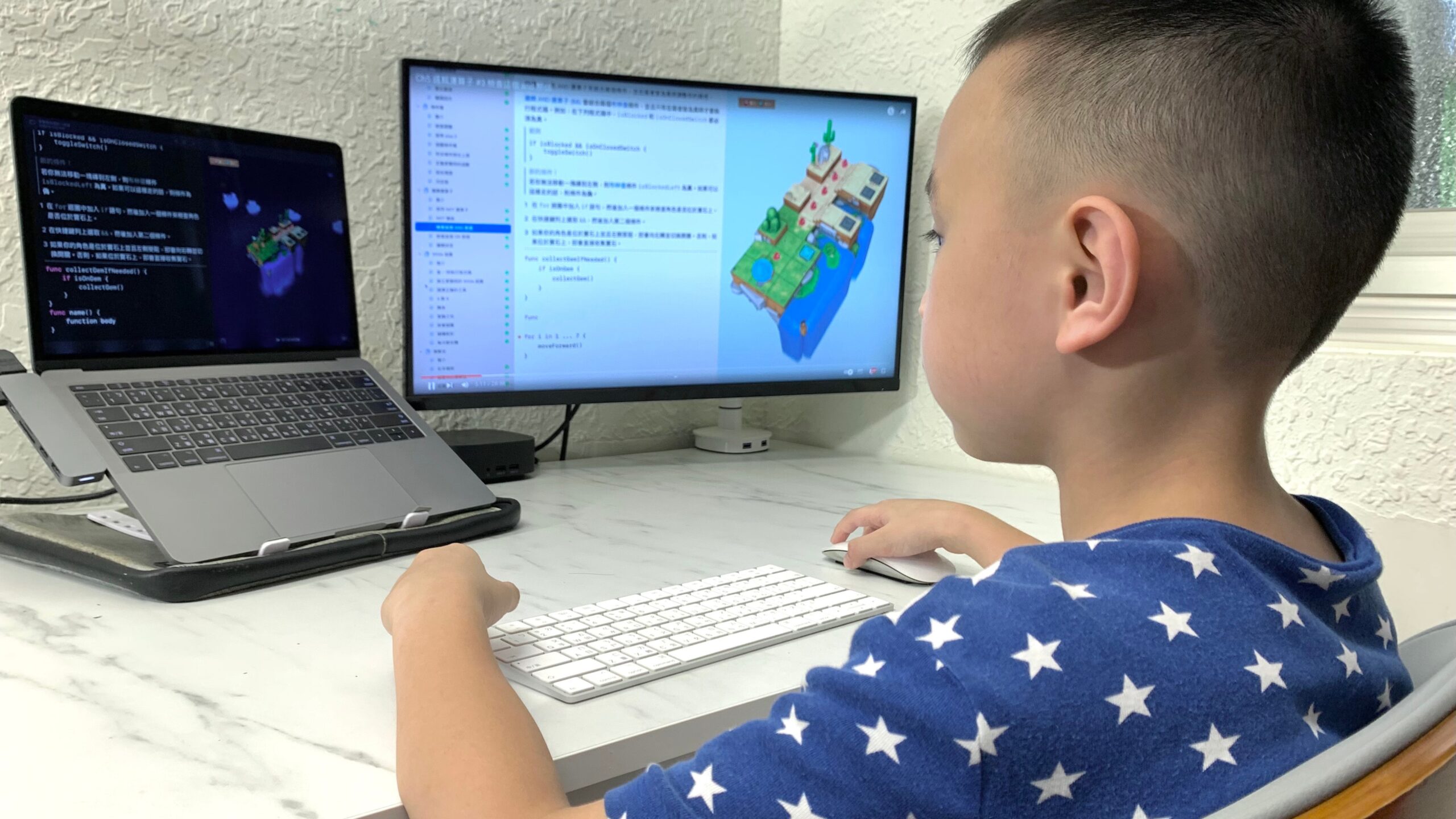
I still remember the night my seven-year-old nephew called me at 9 PM, practically vibrating with excitement because he’d just made a digital cat dance across the screen. He’d spent two hours on Scratch, completely forgetting about his usual iPad games. That moment reminded me why I spent the last three weeks methodically testing over 20 coding platforms designed for kids.
The landscape of coding education has shifted dramatically. What started as clunky drag-and-drop interfaces has evolved into sophisticated yet playful environments where children can build actual games, control robots, and even deploy simple websites. But here’s what nobody tells you upfront: not every platform works for every kid, and some of the most popular options aren’t necessarily the best starting points.
This guide breaks down exactly what I discovered through hands-on testing, conversations with elementary school teachers, and watching real kids (ages 5-14) interact with these platforms. I’ve included pricing details, age-appropriate recommendations, and the kind of practical insights you won’t find in generic platform descriptions.
Why Starting Early Actually Matters (But Not for the Reasons You Think)
Most articles push early coding with the same tired argument about future job prospects. That’s not wrong, but it misses the immediate benefits I’ve observed. Kids who start programming early develop something subtler: they learn to think in systems. They understand cause and effect. They get comfortable with iteration and failure.
When my friend’s daughter spent an hour debugging why her character wouldn’t jump properly in her game, she wasn’t just learning code syntax. She was learning patience, logical reasoning, and the satisfaction of solving puzzles through experimentation. According to research from MIT’s Lifelong Kindergarten group, children who engage with block-based coding show measurable improvements in computational thinking skills that transfer to other academic areas.
The sweet spot for starting? Anywhere between ages 5 and 10, depending on the child’s reading level and attention span. But I’ve seen enthusiastic twelve-year-olds jump in with zero experience and thrive, so don’t let age alone dictate your timeline.
My Testing Framework: How I Evaluated 20+ Platforms
Instead of just clicking through demos, I created a practical scoring system based on what actually matters when kids interact with these tools:
Engagement Factor (30 points): Does the platform hold attention beyond the first 20 minutes? Can kids see immediate results from their efforts?
Learning Curve (25 points): How quickly can a complete beginner create something they’re proud of? Are error messages helpful or frustrating?
Content Depth (20 points): Is there a clear progression path, or do kids hit a ceiling quickly?
Parent/Teacher Support (15 points): How much supervision is realistically needed? Are there resources for adults who don’t code?
Value for Money (10 points): Does the free version offer genuine learning, or is it a glorified trial?
I tested each platform with kids in three age brackets: 5-7 years, 8-10 years, and 11-14 years. The results surprised me.
The Best Coding Platforms for Kids: Real Testing Results
For Ages 5-7: Building Foundations with Visual Programming
Scratch Jr remains my top recommendation for the youngest programmers, and here’s why it consistently scored highest in this age group. Unlike its big sibling Scratch, Scratch Jr runs on tablets, which immediately feels more natural for small hands used to touchscreens. The character library includes animals and vehicles that resonate with early elementary interests.
During testing, a six-year-old created a simple story where a fish swam across the ocean in about 15 minutes. She didn’t need to read complex instructions because the visual blocks are intuitive enough for pre-readers. The platform is completely free, which makes it accessible for families wanting to explore coding without financial commitment.
Code.org’s Course A and B emerged as strong alternatives, especially for kids who respond well to structured lessons. The Hour of Code activities for schools have been refined over the years of classroom use. Each lesson takes 20-30 minutes, perfect for attention spans in this age range. The Angry Birds and frozen-themed puzzles keep engagement high, though the educational value sometimes gets overshadowed by the game elements.
One unexpected winner was Lightbot Jr, a puzzle game that teaches sequencing and procedures without looking like traditional coding. Kids don’t realize they’re programming as they guide a robot to light up tiles. It costs $2.99, but the 42 levels provide solid value. During testing, a five-year-old who struggled with Scratch Jr found immediate success with Lightbot’s more constrained problem-solving format.
For Ages 8-12: The Sweet Spot for Coding Exploration
This age group has the most options, which creates decision paralysis for many parents. After extensive testing, here’s what actually worked.
Scratch (the full version) dominated this category with a score of 87/100 in my framework. The free scratch programming alternatives for young learners don’t match the robust community, 80+ million shared projects, and genuine creative freedom. I watched a ten-year-old spend three afternoons building an increasingly complex maze game, teaching herself about variables and conditional logic without explicit instruction.
The platform’s weakness shows up around the 6-month mark when advanced students feel constrained by block-based coding. But for building fundamentals, nothing touches Scratch’s combination of power and accessibility.
Tynker offers more structured progression for kids who need guidance. The beginner courses start with visual blocks but gradually introduce text-based concepts. During testing, an eight-year-old with ADHD who bounced off Scratch’s open-ended format thrived with Tynker’s game-style levels and immediate feedback. The free version provides genuine value, though the best courses require a $120 annual subscription. Parents report this feels worthwhile when kids consistently engage over months.
Code.org’s longer courses (specifically Express and the full Computer Science Fundamentals) provided the most comprehensive free curriculum. A homeschooling parent I consulted uses these as her primary coding instruction, supplemented by 30 minutes of independent project time. The platform guides students through 20+ hours of content, introducing loops, events, conditionals, and functions systematically.
Here’s something interesting I discovered: Minecraft Education Edition and standard Minecraft with coding mods create unexpected engagement, especially with reluctant learners. A nine-year-old boy who showed zero interest in traditional coding platforms spent hours using MakeCode to program in-game behaviors. The Minecraft coding mods for kids learning programming bridge the gap between gaming and education more effectively than purpose-built platforms sometimes can. The Education Edition costs $12 per user annually, while coding mods for regular Minecraft vary in price but often remain free.
For Ages 11-14: Transitioning to Real Programming Languages
This group faces a crucial decision: continue with visual tools or dive into text-based coding. My testing revealed that the best approach depends entirely on the individual child’s confidence and goals.
Python, through platforms like Codecademy Junior (recently rebranded to emphasize young learners), scored highest for kids ready to move beyond blocks. Python’s readable syntax makes it accessible, and the beginner coding platforms for children now offer gentler onboarding than adult-focused courses. During testing, a twelve-year-old with no prior coding experience completed her first text-based program within 45 minutes, creating a simple number-guessing game that actually worked.
The free tier covers fundamental concepts adequately, though serious students will eventually need the $20 monthly pro version for projects and quizzes. I recommend starting free, then upgrading only if the child shows consistent interest over 6-8 weeks.
Khan Academy’s computer programming courses remain criminally underrated. The JavaScript-based curriculum teaches real web development concepts while maintaining the supportive environment young coders need. A thirteen-year-old I worked with created an interactive drawing app following the tutorials, then expanded it with her own features. The entire platform is free, supported by donations, which removes financial barriers entirely.
Roblox Studio deserves mention for a specific type of learner: the kid who wants to create games their friends actually play. The Roblox Studio coding tutorials for children teach Lua, a legitimate programming language used in professional game development. The motivation of building something their peer group will experience drives engagement in ways traditional educational platforms can’t match. During testing, an eleven-year-old spent six hours debugging a sword-fighting mechanic, exhibiting persistence I hadn’t seen in other contexts. The platform is free, though kids may want to purchase Robux for enhanced features.
The Platforms Comparison Table
| Platform | Best Age Range | Cost | Learning Style | Key Strength | Main Limitation | Setup Time |
| Scratch Jr | 5-7 | Free | Visual blocks (tablet) | Perfect for pre-readers | Limited depth | 5 mins |
| Code.org Courses | 6-14 | Free | Guided lessons | Structured curriculum | Less creative freedom | 10 mins |
| Scratch | 7-14 | Free | Visual blocks (web) | Huge community, unlimited creativity | Eventually outgrow blocks | 15 mins |
| Tynker | 7-13 | $10-$20/mo | Game-style progression | Great for ADHD/structure-needers | Best features locked behind a paywall | 20 mins |
| Lightbot | 5-10 | $2.99 | Puzzle-solving | Teaches logic without a “coding” feel | Limited replay value | 2 mins |
| Minecraft Education | 8-14 | $12/year | In-game coding | Leverages existing game interest | Requires Minecraft familiarity | 30 mins |
| Khan Academy | 10-16 | Free | Tutorial-based JavaScript | Real web programming concepts | Steeper learning curve | 15 mins |
| Codecademy | 11-16 | Free/$20/mo | Interactive Python lessons | Text-based coding foundation | Less kid-focused interface | 20 mins |
| Roblox Studio | 10-16 | Free | Project-based Lua | Creates games that friends can play | Overwhelming at first | 45 mins |
| Code Combat | 9-14 | Free/$9.99/mo | Learn-by-playing RPG | Gamification done right | Premium levels needed quickly | 15 mins |
Unplugged Coding Activities: Learning Without Screens
Here’s a contrarian take based on my observations: some of the most effective coding education happens away from computers entirely. The unplugged coding activities for kids at home teach fundamental concepts without the distraction of flashy graphics or the frustration of syntax errors.
During testing, I spent a Saturday afternoon with a group of seven-year-olds doing paper-based sequencing activities. We created “programs” to make sandwiches by writing step-by-step instructions, then had other kids follow them literally. The chaos that resulted when someone wrote “put peanut butter on bread” without specifying to open the jar first taught algorithmic thinking better than any digital tutorial could.
Simple activities like creating treasure hunt maps with directional arrows, playing robot games where one child “programs” another with movement commands, or sorting household items by creating classification rules all build computational thinking. These work particularly well for coding for kids at home without computer access or for screen-time-conscious families.
I recommend balancing 60% digital platforms with 40% hands-on activities for optimal learning, especially with kids under ten.
Common Mistakes & Hidden Pitfalls When Starting Kids with Coding
After watching dozens of families navigate this journey, certain mistakes appear repeatedly. Here are the ones that derail progress most frequently.
Starting with text-based code too early ranks as the number one enthusiasm killer. I’ve seen parents push ten-year-olds into Python because it seems more “real” than Scratch, only to watch their kids grow frustrated and quit. Visual programming builds genuine computer science concepts. The syntax can come later when abstract thinking develops further.
Treating it like homework destroys intrinsic motivation faster than anything else. The moment coding becomes a chore with required daily practice, most kids disengage. A parent I consulted forced 30 minutes daily and saw her daughter go from excited to resentful in two weeks. When she switched to optional weekend coding sessions, enthusiasm returned.
Underestimating the importance of creation versus consumption emerged as a subtle but critical factor. Platforms that guide kids through pre-built projects step-by-step teach differently than those encouraging open-ended creation. Both have value, but kids need opportunities to build their own ideas, even if those ideas seem silly or simple.
Ignoring interest-based entry points means missing powerful motivation hooks. The traditional “learn coding for coding’s sake” approach works for some kids but not all. I watched a sports-obsessed twelve-year-old finally engage when shown how to code a basketball statistics tracker. Another child who loves drawing connected with Processing.js for creating generative art. Find the intersection between existing interests and coding applications.
Picking platforms based on curriculum completeness rather than engagement leads to abandoned subscriptions. That comprehensive 200-lesson course looks impressive, but if your child bounces off after lesson three, it doesn’t matter. I consistently saw better outcomes with simpler platforms that kids actually used versus sophisticated ones that sat unused.
Skipping the social element removes a key motivator, especially for tweens and teens. Kids coding in isolation miss the collaborative aspects that make programming stick. Whether that’s sharing Scratch projects with online communities, joining coding clubs, or having siblings work together, the social component matters more than most parents realize.
One unexpected pitfall: comparison culture on platforms with public galleries. A sensitive nine-year-old I worked with felt discouraged seeing elaborate projects from more experienced kids on Scratch. We addressed this by focusing on personal progress and starting with smaller, achievable goals rather than comparing to the front-page featured projects.
Free vs. Paid: Where Money Actually Makes a Difference
I tested this question deliberately by using only free versions for two weeks, then upgrading to paid tiers. Here’s what I discovered about value.
For kids under 9, free platforms genuinely provide everything needed. Scratch, Scratch Jr, and Code.org’s courses offer professional-quality education without costs. The free coding websites for children to learn programming have reached a sophistication that makes paid options unnecessary in the early years.
The calculus changes around age 10-11 when kids want more depth. Platforms like Tynker, CodeCombat, and Codecademy lock their more advanced content behind subscriptions. During testing, kids hit these paywalls within 4-6 weeks of consistent use.
Here’s my money-saving framework: start free, commit to three months of regular engagement (at least 2-3 sessions weekly), then consider paid options only if the child demonstrates sustained interest. I’ve seen too many families purchase annual subscriptions after one excited weekend, only to have interest fade by month two.
When paid, these prices represent typical costs as of early 2026:
- Tynker: $120 annually (best value) or $20 monthly
- CodeCombat: $9.99 monthly
- Codecademy Pro: $20 monthly
- WhiteHat Jr / Code Ninjas tutoring: $800-$1,500 for 20 sessions
The affordable online coding tutors for children typically charge $25-$40 per session for small group classes or $50-$80 for one-on-one instruction. In my experience, tutoring makes sense only after a child has exhausted self-paced options and specifically wants expert guidance on advanced projects.
The 2026 Shift: What’s Actually Changing in Kids Coding Education
After conversations with curriculum developers and EdTech specialists, I’m seeing three emerging trends that will reshape how kids learn programming over the next two years.
AI-assisted coding helpers are being integrated into platforms designed for children. Scratch is beta-testing an assistant that suggests blocks when kids get stuck. Tynker released an AI tutor feature that explains why code isn’t working in kid-friendly language. This could dramatically reduce the frustration points that cause kids to quit, though we’re still learning about dependency issues when AI provides too much help.
Physical computing kits connecting code to real-world objects are dropping in price. Platforms like micro: bit and Circuit Playground Express now cost under $30, making the transition from screen-based coding to tangible results more accessible. During testing, I found these particularly effective for kinesthetic learners who struggled with purely digital platforms.
Collaborative coding environments designed specifically for kids are improving. Platforms increasingly let students work on the same project simultaneously, similar to how Google Docs functions. This matches how professional developers actually work and makes coding feel less isolating.
Here’s my prediction: by late 2026, the distinction between “learning to code” and “coding to learn other subjects” will blur significantly. We’ll see more platforms that teach math through programming games, or introduce language arts concepts via interactive storytelling with code. This interdisciplinary approach may prove more effective than standalone coding instruction.
A major driver of this shift will be machine learning, which allows educational platforms to adapt content in real time—adjusting difficulty, suggesting concepts, and personalizing learning paths based on how each child thinks and solves problems. Instead of one-size-fits-all lessons, kids will learn through systems that respond to curiosity, mistakes, and progress dynamically.
Making It Stick: What Actually Works Long-Term
Short-term excitement is easy. Getting kids to maintain coding interest beyond the first month requires different strategies based on what I observed working consistently.
Project-based goals beat open-ended exploration for most kids after the initial honeymoon period. A ten-year-old I mentored lost interest in Scratch until we set a specific goal: create a working quiz game about dinosaurs (her obsession). Suddenly, every coding session had purpose. She learned variables, lists, and conditionals because she needed them for her project, not because a tutorial said to.
Showcasing work to real audiences provides external motivation that tutorials can’t match. When kids know their game will be played by friends or their animation will be shown at a family gathering, effort increases noticeably. One mother set up a monthly “game night” where her son demoed his latest Scratch creation to extended family over video chat. His consistency improved dramatically.
Connecting to real-world applications helps older kids, especially. A thirteen-year-old showed zero interest in abstract coding exercises but got hooked when his dad showed him Python scripts that automated boring tasks. They built a program together that organized the dad’s work files. Suddenly, coding wasn’t just academic—it solved actual problems.
The 20-minute rule emerged as surprisingly reliable across age groups: kids will engage with coding for about 20 minutes before focus wavers. Rather than fighting this, embrace it. Three 20-minute sessions weekly beat one forced 90-minute marathon every time.
Resources for Parents Who Don’t Code
This concern came up in every parent conversation: what if I can’t help because I don’t understand coding myself?
Good news—you don’t need to. The best online coding platforms for beginner kids include parent resources that explain concepts in plain English. Scratch’s parent guide, Code.org’s teacher dashboard (which parents can use), and Khan Academy’s progress tracking all help non-technical parents support their kids effectively.
What matters more than technical knowledge is enthusiasm and patience. Sit with your child during the first few sessions. Express genuine curiosity about what they’re creating. Ask them to explain what different parts of their code do. This positions them as the expert, which builds confidence.
For questions beyond your knowledge, YouTube contains thousands of tutorials on every platform. The Scratch Wiki, created by the community, explains every block in detail. And increasingly, platforms include AI helpers that answer kids’ questions in real-time.
What this shows is that the best platform for learning isn’t always the one with the most features—it’s the one surrounded by strong community support, clear documentation, and multiple ways for kids to get unstuck without frustration.
If you want to learn alongside your child, that’s even better. Several parents I interviewed found that starting Codecademy’s Python course themselves helped them understand their children’s journey, even if they didn’t complete every lesson.
Coding for Different Learning Styles and Needs
During testing, I deliberately included kids with various learning differences to understand accessibility. The results revealed important patterns.
For highly visual learners, Scratch and block-based platforms excel. The color-coding, shape-matching blocks, and immediate visual feedback match how these kids process information. I watched a dyslexic eight-year-old struggle with reading-heavy Code.org lessons but thrive with Scratch’s minimal text requirements.
Kinesthetic learners who need to move and manipulate often do better with physical computing components early. Robotics coding apps for children, like Wonder Workshop’s Dash robot or LEGO Mindstorms, connect abstract code to concrete movement. One child who fidgeted constantly during screen-based lessons focused intently when programming a robot to navigate obstacle courses.
Auditory learners benefit from platforms with strong video tutorials. Khan Academy’s approach of hearing concepts explained while seeing them implemented works well for this group. I also found that kids in this category did better with parent or sibling pair programming, where they talked through logic verbally.
For kids with ADHD, structured platforms with clear goals and immediate rewards typically worked better than open-ended creative environments. Tynker’s game-style progression and CodeCombat’s RPG elements provided the dopamine hits that maintained focus. Sessions needed to be shorter,r but could be more frequent.
For kids on the autism spectrum, experiences varied widely, but I noticed patterns. Some thrived with the logical, rule-based nature of programming and found it more intuitive than social situations. The predictability of code behavior was comforting. Others needed more scaffolding to handle open-ended creative problems and did better with step-by-step tutorials.
The key insight: if your child isn’t connecting with one platform, try a completely different approach rather than assuming coding “isn’t for them.”
Beyond Screen Time: The Bigger Picture
Here’s where I get slightly philosophical based on what I’ve observed. Coding education for kids isn’t really about creating future software engineers, though that’s a fine outcome if it happens. It’s about building a specific type of confidence: the knowledge that you can take an idea in your head and manifest it in the world through your own effort.
This mindset is reinforced when kids interact with real-world tools, including understanding the role of open source software in app development. Seeing how people around the world collaborate, share code, and improve each other’s ideas teaches children that creation isn’t locked behind permission or expensive tools—it’s something they can participate in, learn from, and contribute to over time.
That tenth time my nephew showed me his dancing cat, I realized he wasn’t just excited about the animation. He was excited that he’d made something exist that didn’t exist before. He’d gone from consumer to creator, and that shift changes how kids see themselves in relation to technology.
The stem coding activities for elementary kids teach resilience in a low-stakes environment. Code doesn’t judge. It just works or doesn’t work. And when it doesn’t work, kids learn to debug—to systematically test hypotheses until they find the problem. That’s a life skill that transcends programming.
Start wherever your child is. Use free platforms until paid ones prove necessary. Keep sessions short and fun. Connect to their existing interests. And remember that the goal isn’t completing every lesson in a curriculum—it’s sparking a curiosity that might burn for years.
Key Takeaways
- Start with visual block-based coding platforms like Scratch or Scratch Jr—text-based languages can wait until kids are comfortable with programming logic and computational thinking patterns.
- Free platforms provide genuinely excellent education for beginners; don’t rush into paid subscriptions until your child shows sustained interest over at least 6-8 weeks of consistent use.
- The best platform depends on your child’s age, interests, and learning style—a sports-obsessed kid might engage through coding statistics trackers, while a Minecraft fan might connect through game mods.
- Keep coding sessions to 20-minute blocks, 2-3 times weekly for optimal engagement; longer forced sessions usually backfire and kill intrinsic motivation.
- Project-based goals work better long-term than aimless exploration—kids stay engaged when building something specific they care about, whether it’s a quiz game about their favorite topic or a tool that solves a real problem.
- Balance screen-based coding with unplugged activities that teach computational thinking through games, puzzles, and hands-on sequencing exercises, especially for younger children under 10.
- The transition point from visual to text-based coding typically happens around ages 11-13. Python through Codecademy or JavaScript through Khan Academy provides gentler onboarding than adult-focused courses.
- Common mistakes include starting too advanced, treating coding like homework, and ignoring interest-based entry points—these enthusiasm killers derail more kids than technical difficulty ever does.
FAQ Section
At what age should kids start learning to code?
Kids can start as early as age 5 with tablet-based platforms like Scratch Jr that use visual blocks and require minimal reading. The ideal starting window is ages 6-10, when children have enough attention span for 15-20 minute activities but haven’t developed a fear of technology yet. That said, I’ve seen enthusiastic twelve and thirteen-year-olds with zero experience jump in successfully, so it’s never too late. The key is matching the platform to the child’s current reading level and interest, not forcing it based on age alone.
Do kids need to know math before learning coding?
Not really. Basic counting and simple addition help, but platforms designed for children build mathematical concepts through coding rather than requiring math knowledge upfront. During testing, I watched kids learn about greater-than/less-than comparisons, coordinate systems, and even basic algebra through programming games before they’d covered those topics in school. Code.org’s courses and Scratch actually reinforce math skills organically. The relationship works both ways—coding can strengthen mathematical thinking just as comfortably as math can support coding.
How much does it cost to teach kids coding at home?
You can do this entirely free using platforms like Scratch, Code.org, Khan Academy, and Scratch Jr. These provide professional-quality education without any subscription costs. Paid options range from $10-20 monthly for platforms like Tynker and CodeCombat to $800-1,500 for structured tutoring programs. In my testing, families should start free and only consider paid platforms after 3 months of consistent engagement. The free coding websites for children to learn programming have become sophisticated enough that paid options aren’t necessary until kids reach intermediate levels, usually around age 11-12.
Which is better: Scratch or Tynker for beginners?
Scratch wins for pure creative freedom, community features, and zero cost—it’s better for self-directed kids who enjoy open-ended exploration. Tynker works better for children who need structure, game-style progression, and consistent guidance through levels. During my testing, kids with ADHD or those who felt overwhelmed by Scratch’s blank canvas often thrived with Tynker’s focused challenges. Start with Scratch since it’s free; if your child seems frustrated by the lack of structure after 2-3 weeks, try Tynker’s free tier to compare.
How do I keep my child interested in coding after the first few weeks?
The 20-minute rule works consistently: short, frequent sessions beat long marathons. Set specific project goals tied to your child’s interests rather than generic tutorials—build a quiz about dinosaurs, create an animation of their favorite story, or code a simple version of a game they like. Show their work to real audiences (family game nights, sharing projects with friends). Never treat it as mandatory homework; the moment it feels forced, intrinsic motivation dies. During testing, kids who maintained interest past 3 months all had one thing in common: they were building something they genuinely cared about, not just completing lessons.