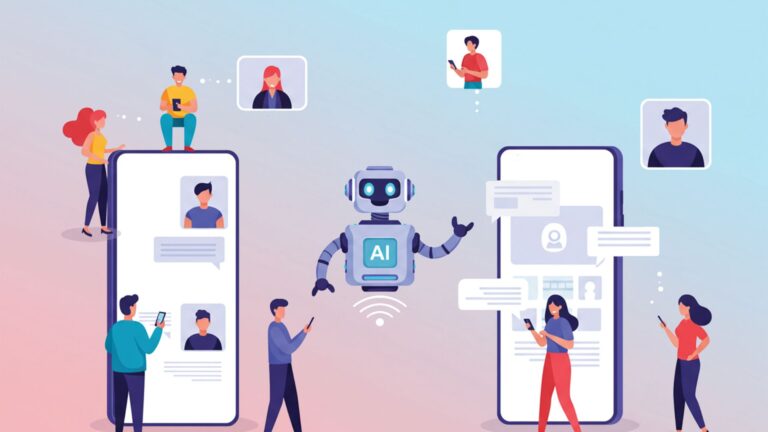
There was a time when solving a work problem meant opening four different apps — one to schedule, one to write, one to track, and one to communicate. That workflow is becoming obsolete. The rise of AI assistants is quietly collapsing that stack, and for many professionals and small businesses, a single conversational interface is now handling what used to require an entire suite of software. This shift also reflects the growing trends in copilot tools for productivity, where AI-driven assistants act as all-in-one solutions for managing tasks, communication, and workflows seamlessly.
This shift is not just a trend. It represents a fundamental change in how people interact with technology — and for developers, product teams, and everyday users alike, the implications are significant.
What’s Actually Driving the Shift Away from Traditional Apps
Traditional apps were built around a simple idea: one tool, one job. A calendar app manages your schedule. A CRM tracks your contacts. A to-do app lists your tasks. This model worked well for decades, but it created an unintended problem — fragmentation.
The average knowledge worker switches between apps dozens of times per day. According to research from Asana’s Anatomy of Work report, workers spend a significant portion of their day navigating between tools rather than doing actual work. Context-switching carries a cognitive cost that adds up fast.
AI assistants sidestep this entirely. Instead of navigating menus, clicking through interfaces, and copying information between platforms, users simply describe what they need. The assistant handles the rest — drafting, searching, summarizing, scheduling, or generating — within a single interface. That reduction in friction is proving to be enormously valuable, especially as many of these tools emerge as free alternatives to paid tech tools, reducing both cost and complexity for users.
Gartner has projected that by 2026, a large portion of enterprise software interactions will be handled through conversational AI rather than traditional UI — a prediction that appears to be materializing ahead of schedule based on current adoption patterns.
How AI Assistants Are Replacing Specific App Categories
The displacement is happening category by category. Here is how AI assistants are taking over the functions that apps once owned exclusively.
Productivity and Task Management
Apps like Todoist, Notion, and Trello built their reputations on organizing work. Today, the best AI tools for productivity are taking this a step further by performing the same functions through simple natural language commands. Instead of manually updating dashboards, a user can say, “summarize my open tasks and draft a priority list for today,” and instantly receive a structured, actionable output—without even logging into a traditional project management platform.
More significantly, AI assistants don’t just organize tasks. They help complete them. Writing a project brief, generating a meeting agenda, or summarizing a long document are now handled conversationally. That’s a capability gap that no traditional task manager has been able to close.
Communication and Email
Email clients are arguably the first major category facing serious disruption. AI assistants for daily tasks automation now handle inbox triage, draft responses, summarize threads, and flag priority items. What used to require a dedicated email tool — and significant time — is increasingly delegated to an AI layer sitting on top of communication platforms.
Tools like Google’s Gemini in Workspace and Microsoft’s Copilot embedded in Outlook are direct examples of AI assistants replacing the manual work that email apps once required users to do themselves.
CRM and Customer Management
This is one of the most striking examples of AI assistants replacing crm and marketing tools. Traditional CRM platforms require significant manual input — logging calls, updating contact records, tracking deal stages. Sales teams often cite CRM upkeep as one of their biggest time drains.
AI assistants can now generate call summaries, auto-populate CRM fields, draft follow-up emails, and surface relevant contact history — all without the user manually touching the CRM interface. Platforms like Salesforce Einstein and HubSpot’s AI features are embedding this functionality directly, reducing the “CRM management” burden to near zero in some workflows.
Research and Information Retrieval
Search engines built a trillion-dollar industry on helping people find information. AI assistants are now delivering answers rather than links — synthesizing information, comparing options, and providing context-rich responses without requiring users to click through multiple pages and evaluate sources manually.
This is not a replacement for search in every use case, but for routine research tasks, the friction reduction is substantial. Business analysts, content teams, and students commonly report spending far less time in traditional research workflows since integrating AI assistants into their daily operations.
AI Assistant vs. Traditional App: A Direct Comparison
The table below offers a practical breakdown of how AI assistants stack up against traditional mobile apps across the dimensions that matter most for real-world decision-making.
| Factor | Traditional Apps | AI Assistants |
| Learning Curve | Moderate to high (feature-heavy UIs) | Low (conversational, natural language) |
| Task Range | Single-purpose or narrow category | Multi-task across many categories |
| Setup Time | Hours to days (account, integration, data import) | Minutes to hours |
| Cost (typical) | $5–$50+/month per app, often multiplied across stack | $15–$30/month for one assistant covering multiple functions |
| Customization | Deep, but requires technical setup | Growing, often prompt-based |
| Integration | Via APIs, Zapier, or native connectors | Native or plugin-based, improving rapidly |
| Offline Access | Usually available | Limited (mostly cloud-dependent) |
| Data Privacy Control | Generally, user-controlled per app | Varies by provider; requires careful evaluation |
| Output Quality for Complex Tasks | Consistent within scope | High for language tasks; variable for domain-specific work |
| Best For | Deep, specialized workflows | Broad, conversational, and multi-step daily tasks |
This table reflects general market conditions as of 2026. Individual tools vary significantly, and the right choice depends heavily on use case complexity and team size.
The Business Case: AI Assistants for Small Business Operations
For small businesses, the economics of the shift are particularly compelling. A small team running five or six SaaS tools — project management, CRM, email marketing, scheduling, invoicing, and communication — might be paying $200 to $400 per month in combined subscriptions. AI assistants replacing multiple apps in one platform can reduce that stack substantially.
More practically, small business owners often lack dedicated operations staff. AI assistants for small business operations can act as a part-time operations layer — handling follow-up drafts, summarizing client conversations, building simple reports, or tracking action items from meetings. The time savings, commonly reported in the range of five to ten hours per week for active users, translate directly to cost reductions or capacity gains.
The caveat — and it is important — is that AI assistants perform best on knowledge work and communication tasks. For specialized software needs like accounting compliance, complex inventory management, or industry-specific tools, traditional apps remain the more reliable option.
A 2026 Prediction Worth Considering
Here is a contrarian observation that doesn’t get enough attention: the biggest disruption from AI assistants may not come from replacing individual apps — it may come from eliminating the need for app ecosystemy.
The current model assumes that AI assistants sit alongside existing software, helping users work within those tools more efficiently. But the trajectory suggests something more significant: as AI assistants become capable of writing, executing, and managing workflows end-to-end, the underlying apps become optional infrastructure rather than required interfaces.
A marketer who once needed a content calendar app, a writing tool, an SEO platform, and a publishing interface may soon operate entirely through an AI assistant that handles all four functions through integrations and generation. The app economy doesn’t disappear — but it may shift from user-facing products to background APIs that AI assistants call on demand. That structural change has significant implications for how software is built and monetized going forward.
Common Mistakes and Hidden Pitfalls
The shift toward AI assistants is genuinely useful, but adoption is not without real problems. These are the mistakes most commonly seen in practice.
Assuming AI Assistants Can Replace Every Specialized Tool Immediately
The enthusiasm around AI assistants replacing software tools sometimes leads users to cancel subscriptions too quickly. AI assistants are excellent at broad tasks but still underperform dedicated tools for specialized functions — legal document review, complex financial modeling, advanced design work, or compliance-heavy processes. Replacing everything at once is a common beginner mistake that leads to gaps in quality or compliance risk.
Underestimating Data Privacy Implications
When a user asks an AI assistant to summarize a client contract, process HR data, or review sensitive business information, that data passes through the AI provider’s infrastructure. Many users adopt AI assistants without reading the data handling policies of the platform, which can create compliance issues — particularly in regulated industries like healthcare, finance, or legal services. This is one of the most underrated risks in the space.
Over-relying on AI Output Without Verification
AI assistants improve productivity significantly, but they generate errors. Factual inaccuracies, outdated information, and confident-sounding mistakes are well-documented failure modes. Users who treat AI output as final copy — without review — eventually encounter problems. Building a habit of verification, especially for client-facing or decision-critical outputs, is essential.
Ignoring Integration Limitations
Many users assume that because an AI assistant is capable of broad tasks, it integrates seamlessly with existing tools. In practice, integration depth varies significantly by platform. Some AI assistants connect natively to popular tools; others require middleware or custom API work. Discovering this after committing to a workflow is a disruptive and avoidable problem.
Choosing Based on Hype Rather Than Use Case Fit
The AI assistant market is crowded and moving fast. Many teams choose tools based on what’s trending rather than what fits their specific workflow. A tool that works brilliantly for a content team may be poorly suited for a sales operations team. Evaluating on actual use case — with a genuine trial period — produces far better outcomes than choosing based on brand recognition alone.
The Impact on App Development
For developers and product teams, the rise of AI assistants is changing what it means to build software worth using. According to Andreessen Horowitz’s research on AI-native products, the fastest-growing software products in 2024 and 2025 have been those that embed AI deeply into their core workflows rather than adding it as a surface-level feature.
The implication is that traditional app design — centered on visual interfaces and manual user input — is under pressure. Products that don’t incorporate AI-powered assistance into their core experience are increasingly perceived as higher-friction alternatives. The impact of AI assistants on app development is not just philosophical; it is showing up in retention and engagement metrics across categories.
Apps that survive this transition will likely do so by becoming the back-end layer that AI assistants call, rather than the primary interface that users interact with directly.
Looking at Real-World AI Assistant Use Cases in 2026
Across industries, concrete use cases are emerging that illustrate how far the shift has progressed:
Content and Marketing Teams are using AI assistants to compress multi-day content production cycles into hours — from brief to draft to edited output — with human review at the final stage rather than at every step.
Operations Managers are using AI assistants for workflow automation tools, delegating repetitive processes like weekly status reports, meeting summaries, and data compilation to automated AI pipelines rather than manual effort.
Customer Support Teams are deploying AI assistants as the first response layer, with human agents handling escalations. This is reducing first-response times substantially while lowering per-ticket costs.
Independent Professionals — consultants, freelancers, and solo operators — are arguably the fastest adopters, using AI assistants to handle the administrative overhead that previously required either dedicated time or outsourced help.
Each of these use cases reflects the same underlying pattern: AI assistants are absorbing the transactional and generative tasks that once required dedicated applications or additional headcount.
Key Takeaways
- The rise of AI assistants is replacing traditional apps by reducing the fragmentation and context-switching costs of managing multiple single-purpose tools.
- AI assistants now cover core functions across productivity, communication, CRM, and research — with use cases expanding rapidly through 2026.
- For small businesses, consolidating a multi-app SaaS stack into one AI assistant platform can reduce costs by 40 to 60 percent while improving workflow speed.
- The biggest hidden risk in AI assistant adoption is data privacy — users frequently move sensitive information through AI platforms without reviewing the provider’s data handling policies.
- Traditional apps are not disappearing, but their role is shifting from primary user interfaces to back-end APIs that AI assistants access on demand.
- The most common adoption mistake is replacing specialized tools too quickly before verifying that the AI assistant meets the same functional requirements.
- By 2026, products that embed AI assistance natively into their core workflows are showing measurably better retention than those treating it as an add-on feature.
FAQ
Are AI assistants actually replacing mobile apps, or just supplementing them?
For many daily tasks — writing, scheduling, research, and communication — AI assistants are genuinely replacing app usage rather than just supplementing it. Users who previously opened four or five apps to complete a workflow are completing the same workflow in one conversational interface. That said, specialized apps for accounting, design, or industry-specific work are holding their ground. The replacement is most complete in general productivity and knowledge work categories.
What are the best AI assistants for personal productivity in 2026?
The leading options include Claude, ChatGPT, Google Gemini, and Microsoft Copilot — each with different strengths. Claude performs particularly well for long-form writing and document analysis. Gemini integrates tightly with Google Workspace. Copilot is strongest for Microsoft 365 users. For personal productivity specifically, the best choice depends on which existing tools you already use and what task types dominate your day.
How do AI assistants compare to SaaS platforms in terms of cost?
A typical professional SaaS stack — project management, CRM, communication, and document tools — commonly runs $150 to $400 per month for a small team. A capable AI assistant subscription typically costs $15 to $30 per month per user. For teams that can consolidate significant portions of their workflow into an AI assistant, the cost reduction is substantial. The trade-off is depth of functionality in specialized areas.
What industries should be most cautious about adopting AI assistants?
Healthcare, legal, and financial services face the most significant caution points — not because AI assistants aren’t useful, but because data privacy regulations in these sectors require careful evaluation of any third-party tool that processes client information. HIPAA, GDPR, and financial compliance frameworks all have implications for AI assistant usage that need to be addressed before broad deployment.
How do AI assistants improve productivity compared to traditional tools?
The primary mechanism is task compression — AI assistants reduce multi-step workflows into single conversational requests. A task that required opening an app, navigating its interface, inputting data, and formatting output might be handled in a single prompt. Users commonly report reclaiming several hours per week once core workflows are adapted to AI assistance. The gains are largest for writing-heavy, research-heavy, or communication-heavy roles.